+86-18050089566(WhatsApp/wechat)
+86-18050089566(WhatsApp/wechat)

Time:2026-04-03 Views:894
How to Choose an Industrial Barcode Scanner
In the modern industrial landscape, barcode scanners have become indispensable tools that bridge the gap between physical goods and digital data. From warehouse logistics and production line tracking to inventory management and distribution, a high-quality industrial barcode scanner not only boosts operational efficiency but also reduces human error, ensuring data accuracy and streamlining workflows. However, with a wide range of models, technologies, and specifications available on the market, selecting the right industrial barcode scanner for your business can be a daunting task. This guide breaks down the key factors to consider, helping you make an informed decision that aligns with your operational needs and long-term goals.
1. Understand the Types of Industrial Barcode Scanners
The first step in choosing an industrial barcode scanner is to familiarize yourself with the main types available, as each is designed for specific use cases and environments. Knowing their strengths and limitations will help you narrow down your options efficiently.
1.1 Laser Scanners
Laser scanners use a laser beam to read 1D barcodes, offering fast scanning speeds and high precision—especially for long-distance scanning. They are ideal for large warehouses or distribution centers where workers need to scan items from a distance, such as pallets on high shelves. However, their main limitation is that they cannot read 2D barcodes (e.g., QR codes, Data Matrix codes), making them less versatile for applications that require multi-format scanning.
1.2 CCD Scanners
CCD (Charge-Coupled Device) scanners use an array of light sensors to capture barcode images, making them more affordable than laser or image scanners. They perform well in moderate lighting conditions and are suitable for short-range scanning tasks, such as retail checkout or small inventory rooms. However, they struggle with long-distance scanning and are less effective at reading damaged or poorly printed barcodes.
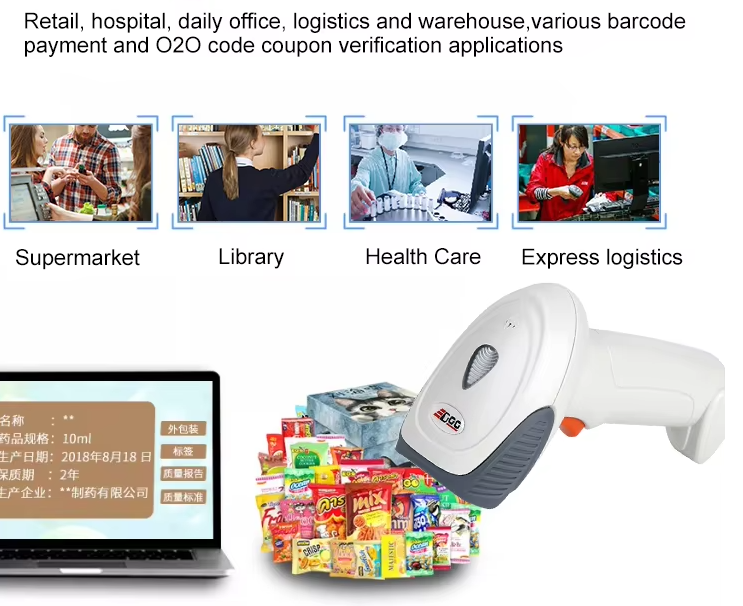
1D barcode scanner use for
1.3 Image Scanners (Area Imagers)
Image scanners, also known as area imagers, use a camera to capture the entire barcode image and decode it using advanced algorithms. They can read both 1D and 2D barcodes, making them highly versatile for modern industrial applications. These scanners excel at reading damaged, low-contrast, or partially obscured barcodes, and they perform well in various lighting conditions. While they are generally more expensive than laser or CCD scanners, their flexibility makes them a popular choice for manufacturing, logistics, and retail environments.

1D barcode scanner use for
1.4 Handheld vs. Fixed-Mount Scanners
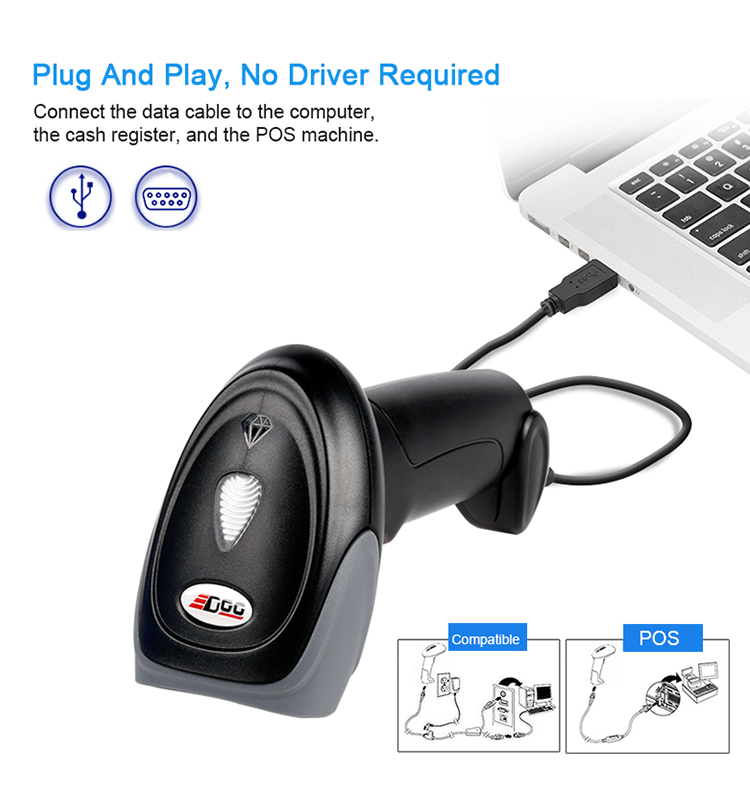
Handheld scanners are portable and ideal for applications that require mobility, such as warehouse picking, inventory checks, or moving between workstations. They are available in both wired and wireless models, with wireless options (Bluetooth, Wi-Fi) offering greater flexibility. Fixed-mount scanners, on the other hand, are designed for stationary use in high-volume, automated environments—such as production lines or conveyor systems—where continuous, hands-free scanning is required. They integrate seamlessly with automated workflows and deliver consistent performance for high-speed scanning tasks.
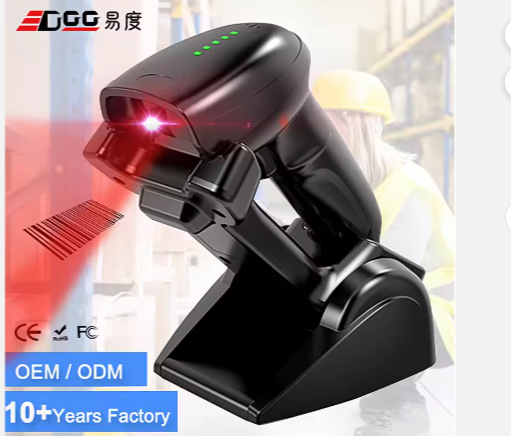
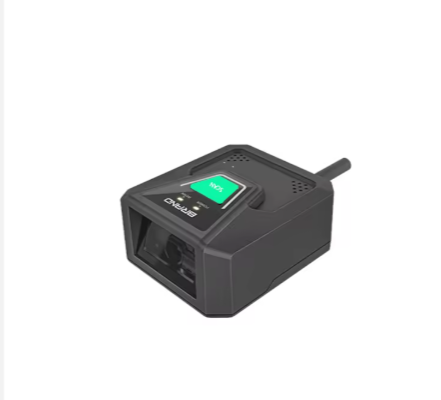
Left: Handheld wireless scanner for warehouse picking; Right: Fixed-mount scanner for production line
2. Analyze Your Industrial Application Scenario
Your specific operational environment and use case are the most critical factors in choosing a scanner. Different industries and workflows have unique requirements, so it’s essential to align the scanner’s capabilities with your daily operations.
2.1 Warehouse and Logistics
In warehouse and logistics operations, speed, durability, and long-distance scanning are key. Look for scanners with fast scanning speeds (100+ scans per second) and rugged construction to withstand drops, dust, and occasional moisture. Laser or image scanners are ideal here, as they can handle high-volume scanning of pallets, cartons, and individual items. Wireless handheld scanners or fixed-mount scanners integrated with conveyor systems can significantly improve picking and packing efficiency.
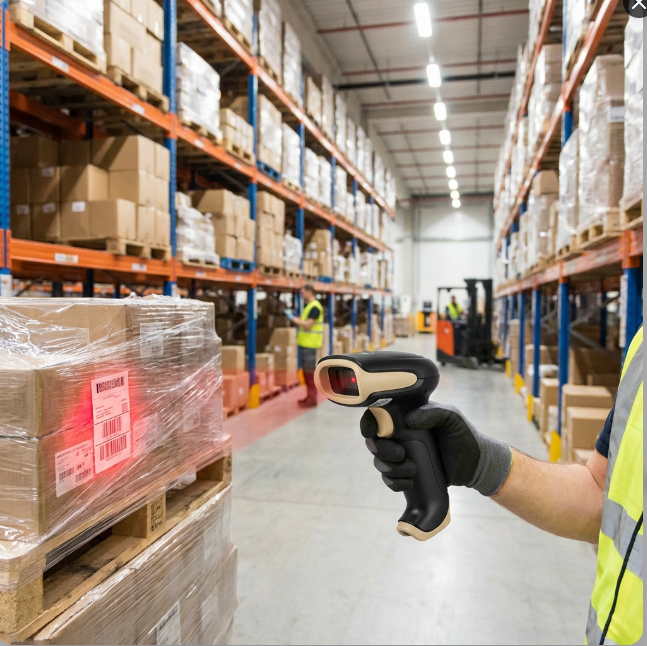
Worker using a wireless handheld scanner to scan pallets in a large warehouse
2.2 Manufacturing
Manufacturing environments often involve harsh conditions—including dust, vibration, extreme temperatures, and chemical exposure. Scanners used here must have a high IP (Ingress Protection) rating to resist dust and water, as well as shock resistance for accidental drops. Additionally, manufacturing requires real-time tracking of components and finished products, so choose scanners with fast decoding speeds and compatibility with production management systems. Image scanners are particularly well-suited for this industry, as they can read barcodes on curved surfaces, damaged labels, or direct part marks (DPMs).
Industrial wireless handheld barcode scanner reading DPM code on a metal component in a manufacturing workshop
2.3 Retail and Point of Sale (POS)
Retail environments demand scanners that are fast, easy to use, and durable enough to handle high customer traffic. Image scanners are preferred here, as they can read both 1D barcodes (product labels) and 2D barcodes (mobile coupons, digital receipts). Wireless handheld scanners offer flexibility for cashiers moving between registers or scanning large items, while desktop scanners are ideal for fixed POS stations. Ergonomic design is also important, as cashiers use scanners for extended periods.
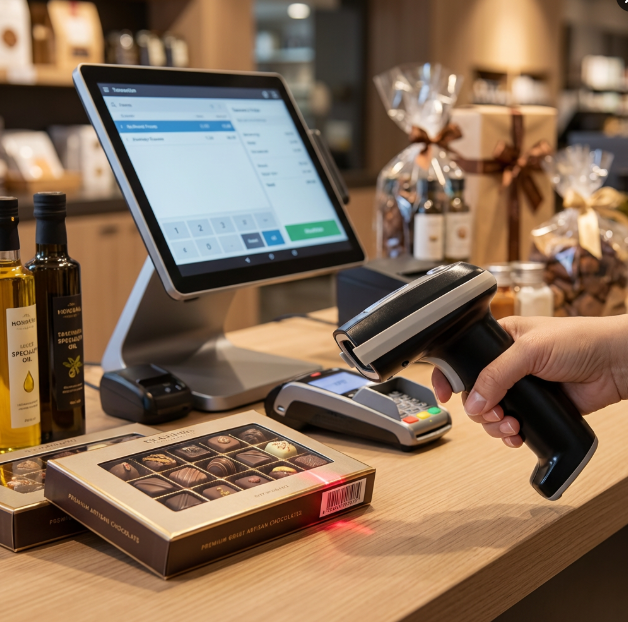
Cashier using an image scanner to scan product barcodes at a retail POS station
2.4 Extreme Environments
If your operations involve extreme temperatures (e.g., cold storage, foundries), humidity, or heavy dust, prioritize scanners with specialized ruggedness. Look for models with a minimum IP65 rating (dust-tight and protected against low-pressure water jets) and a wide operating temperature range. Some scanners are also designed to resist condensation in cold environments, preventing internal component damage.
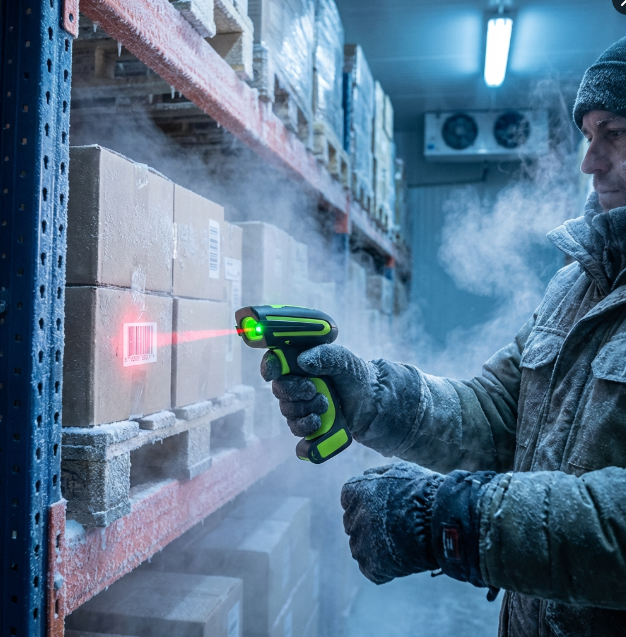
Rugged scanner used in a cold storage warehouse (resistant to low temperatures and moisture)
3. Evaluate Key Performance Parameters
Beyond type and scenario, the scanner’s performance parameters directly impact its effectiveness in your operations. Pay close attention to the following specifications:
3.1 Scanning Speed and Read Rate
Scanning speed is measured in scans per second (SPS), with industrial scanners typically ranging from 100 to 300 SPS. High-volume environments (e.g., large warehouses, busy production lines) require faster speeds to avoid bottlenecks. Additionally, the read rate—the percentage of barcodes scanned successfully on the first try—is critical. Look for scanners with a read rate of 99.9% or higher, especially for applications with damaged or low-quality barcodes.
3.2 Reading Distance
Consider the distance at which workers will scan barcodes. Laser scanners excel at long-distance scanning (up to several meters), making them ideal for tall warehouses. CCD scanners are limited to short distances (usually a few centimeters), while image scanners offer a balance of short and medium-range capabilities. Choose a scanner with a reading distance that matches your workflow—for example, long-range scanners for pallets and short-range scanners for small parts.
3.3 Barcode Compatibility
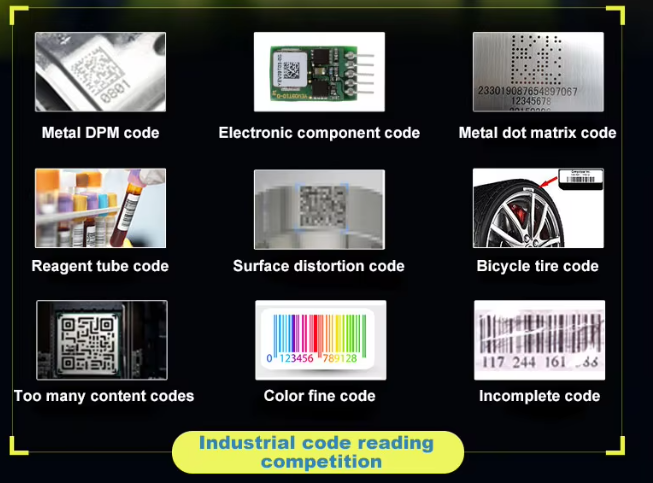
Ensure the scanner can read the barcode types used in your business. If you only use 1D barcodes (e.g., UPC, EAN), a laser or CCD scanner may suffice. However, if you use 2D barcodes (e.g., QR codes, Data Matrix) for product tracking, inventory management, or mobile integration, an image scanner is essential. Some advanced image scanners can also read DPMs, which are directly marked on products or components—critical for manufacturing traceability.
3.4 Connectivity Options
Industrial barcode scanners offer various connectivity options, and choosing the right one depends on your workflow:
- Wired (USB, Serial): Ideal for fixed workstations (e.g., POS, production line stations) where mobility is not needed. Wired scanners are reliable and do not require battery charging.
- Wireless (Bluetooth, Wi-Fi, 2.4G): Suitable for mobile applications (e.g., warehouse picking, inventory checks). Wireless scanners offer greater flexibility but require regular charging. Ensure the wireless range matches your workspace size.
- Integration with Systems: Verify that the scanner is compatible with your existing software, such as Warehouse Management Systems (WMS), Enterprise Resource Planning (ERP), or production management software. Look for scanners with SDK/API support for seamless integration.
3.5 Durability and IP Rating
Industrial environments are harsh, so durability is non-negotiable. The IP rating indicates the scanner’s protection against dust and water:
- IP65: Dust-tight and protected against low-pressure water jets (suitable for most industrial environments).
- IP67: Dust-tight and protected against immersion in water (ideal for wet or dusty environments).
Additionally, look for scanners with drop resistance (e.g., 2m drop onto concrete) and vibration resistance to withstand daily wear and tear. Scanners with solid-state designs (no moving parts) are more durable and require less maintenance.
4. Consider Ergonomics and User Experience
Workers use industrial barcode scanners for extended periods, so ergonomics directly impacts productivity and employee comfort. Choose scanners that are lightweight (preferably under 200g) with an ergonomic grip to reduce hand fatigue. For high-volume scanning tasks, wearable scanners (e.g., ring scanners) offer hands-free operation, allowing workers to handle items while scanning—ideal for warehouse picking and sorting. Additionally, look for scanners with intuitive controls, clear feedback (e.g., LED lights, beeps), and easy setup to minimize training time.
5. Balance Cost and Long-Term Value
While upfront cost is a consideration, it’s important to balance it with long-term value. Cheaper scanners may lack durability or performance, leading to frequent replacements and downtime. Invest in a high-quality scanner that meets your current needs and can adapt to future growth—for example, image scanners that support both 1D and 2D barcodes, or scanners with upgradeable software. Consider the total cost of ownership (TCO), including maintenance, battery replacement, and software updates, to ensure the scanner is a cost-effective investment over time.
Conclusion
Choosing the right industrial barcode scanner requires a clear understanding of your operational needs, application environment, and performance requirements. By evaluating the scanner type, scenario compatibility, performance parameters, ergonomics, and long-term value, you can select a device that enhances efficiency, reduces errors, and supports your business growth. Remember, the best scanner is not the most advanced or expensive one—it’s the one that aligns perfectly with your unique workflow and goals. With this guide, you can confidently navigate the market and choose a scanner that delivers reliable performance for years to come.
ABOUT US

PRODUCT
Solution
SERVICES
NEWS