+86-18050089566(WhatsApp/wechat)

ABOUT US
Technical Recognition & AI Insight Company ODM/OEM Qualification honor Factory strength
PRODUCT
Wearable Barcode Scanner Fixed Mount Scanner Desktop Scanner Handheld Barcode Scanner Barcode Scan Engine PDA/POS Industrial Intelligence Printer Cash Register RFID
Solution
Logistics Solution Industrial barcode scanner Barcode Scanner Module handheld barcode scanner product video Passport Reader Cashier
SERVICES
Product Documentation Solutions For Your Projects FAQ
NEWS
Company News
CONTACT US

NEWS

HOME  -  NEWS  -  Company News

Desktop Barcode Scanner for Retail: EDOO D46 Dual-CPU 1D/2D Scanning Solution

Time:2026-08-12 Views:737

Retail businesses often face challenges such as slow checkout processes, inaccurate barcode recognition, and difficulty scanning damaged or digital barcodes from mobile screens. The desktop barcode scanner provides a stable and efficient solution for businesses that need fast and accurate data capture at checkout counters, service desks, and self-service stations.

The EDOO D46 from EDOO-IOT is designed with dual-CPU decoding technology to improve scanning speed and recognition performance. Supporting both 1D and 2D barcodes, this compact scanner helps retailers, logistics operators, and commercial users improve daily operations with reliable scanning performance.

Why Choose EDOO D46 Desktop Barcode Scanner?

The EDOO D46 is developed for professional barcode scanning applications where speed, flexibility, and durability are important. Its desktop structure allows users to scan products conveniently without holding the device continuously.

Key advantages include:

  • Dual-CPU decoding architecture for fast barcode processing

  • Support for 1D and 2D barcode scanning

  • Compatible with QR codes, Data Matrix, PDF417, UPC, EAN, Code 128 and more

  • Adjustable scanning angle for different working positions

  • Compact design with only 150 × 80 × 50 mm dimensions

  • Lightweight body with approximately 0.45 kg weight

  • USB HID-KBW, USB Virtual Serial, USB HID-POS and RS232 interface options

Whether you operate a retail checkout counter, warehouse station, or service terminal, the EDOO D46 provides a practical scanning experience.

High-Speed 1D and 2D Barcode Recognition Performance

Modern businesses require scanners that can quickly identify different barcode formats. The EDOO D46 uses a 640 × 480 CMOS image sensor combined with advanced decoding algorithms to recognize various printed and digital barcodes.

The scanner supports:

  • QR Code

  • Data Matrix

  • PDF417

  • Aztec Code

  • Maxi Code

  • UPC-A / UPC-E

  • EAN-8 / EAN-13

  • Code 39 / Code 128

  • GS1-128

  • Code 93

  • Codabar

  • MSI Plessey

  • Interleaved 2 of 5

With scanning precision reaching ≥3mil (Code 128), the device can handle detailed barcode information used in retail and inventory environments.

Desktop Barcode Scanner Applications in Real Business Scenarios

Different industries require different scanning solutions. The EDOO D46 desktop barcode scanner is suitable for multiple applications.

Retail Checkout and POS Systems

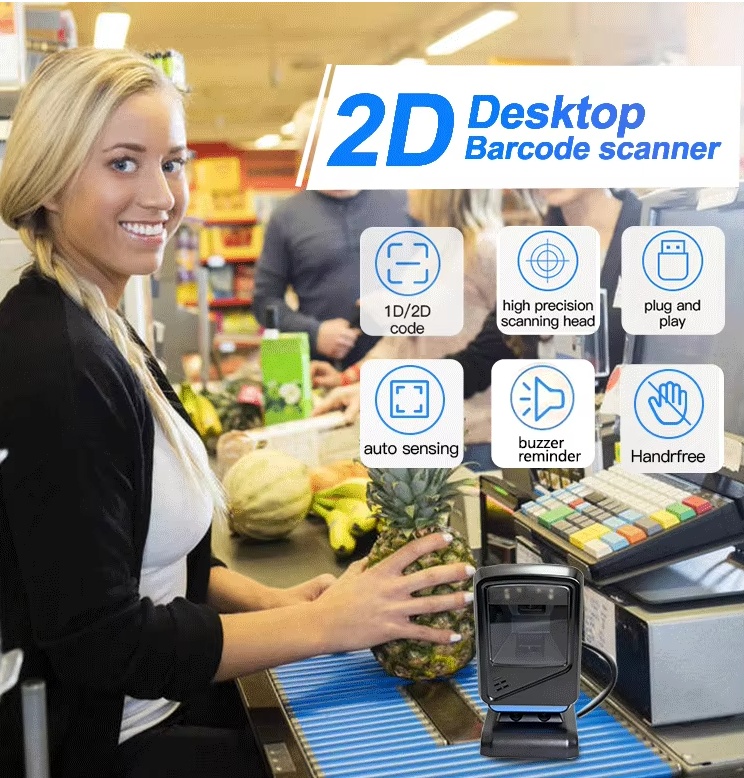
At retail counters, employees need quick product identification to reduce waiting time. The adjustable scanning angle allows cashiers to position the scanner according to their workflow.

Common applications:

  • Supermarket checkout counters

  • Convenience stores

  • Electronic stores

  • Pharmacy retail systems

  • POS terminals

Logistics and Inventory Management

Warehouses need accurate barcode capture for receiving, tracking, and shipping operations.

The EDOO D46 supports:

  • Inventory checking

  • Product identification

  • Package tracking

  • Order management

Mobile Screen Barcode Scanning

Many customers now use electronic coupons, membership codes, and digital tickets. The EDOO D46 can recognize barcodes displayed on mobile devices, improving customer service efficiency.

EDOO D46 Compared With Other Barcode Scanner Types

FeatureEDOO D46 Desktop Barcode ScannerHandheld Barcode ScannerFixed Mount Scanner
Scanning methodDesktop hands-free / handheld useManual operationFixed installation
Barcode support1D & 2DUsually 1D & 2DMainly 2D
Scanner movementAdjustable angle designFully portableLimited movement
Best applicationRetail counters, POS, service desksWarehouses, mobile operationsAutomated systems
Connection optionsUSB, RS232 optionalUSB, wireless optionsIndustrial interfaces

The EDOO D46 combines the convenience of desktop scanning with flexible operation, making it suitable for businesses that need both stability and mobility.

lascboi.jpg

How to Set Up EDOO D46 Desktop Barcode Scanner

You can quickly integrate the scanner into your existing system by following these steps:

  1. Connect the scanner

    • Connect the EDOO D46 through USB HID-KBW, USB Virtual Serial, USB HID-POS, or RS232 interface.
  2. Adjust the scanning angle

    • Rotate the scanner position based on your counter height and operating habits.
  3. Configure scanning settings

    • Customize prefix/suffix settings, sound options, vibration settings, and sleep time according to your application.
  4. Test barcode recognition

    • Scan product labels, QR codes, or mobile screen barcodes to confirm successful integration.
  5. Deploy into your workflow

    • Start using the scanner for POS, inventory, retail, or service applications.

Quality Assurance and Manufacturing Support From EDOO

EDOO-IOT has specialized in IoT devices and barcode scanning solutions since 2015. The company focuses on independent R&D, product innovation, and customized OEM/ODM services for global customers.

EDOO products are supported by:

  • CE certification

  • FCC certification

  • RoHS certification

  • GS certification

With products exported to Europe, Africa, North America, South America, the Middle East, Russia, and Southeast Asia, EDOO provides barcode solutions for industries including logistics, healthcare, education, transportation, government services, and retail.

The company also provides customized development services, helping customers create barcode scanning products based on specific business requirements.

FAQ

1. What is a desktop barcode scanner used for?

A desktop barcode scanner is mainly used for hands-free barcode reading in retail stores, POS systems, inventory stations, and service counters. It allows users to scan products quickly without repeatedly holding the scanner.

2. Can the EDOO D46 scan QR codes from mobile phones?

Yes. The EDOO D46 supports 2D barcode recognition and can scan QR codes displayed on smartphone screens, making it suitable for digital coupons, tickets, and membership systems.

3. Does the EDOO D46 support OEM and ODM customization?

Yes. EDOO-IOT provides OEM and ODM services, including product customization, prototype development, and technical support.

Conclusion

Choosing the right desktop barcode scanner helps businesses improve checkout efficiency, reduce manual errors, and create smoother data management processes. With dual-CPU decoding technology, 1D/2D barcode compatibility, flexible interfaces, and certified quality standards, the EDOO D46 offers a practical scanning solution for retail, logistics, and commercial applications.

Contact EDOO-IOT to discuss your barcode scanner requirements, OEM/ODM projects, and customized scanning solutions. Get professional technical support and a suitable barcode scanning solution for your business needs.


Previous Back to list Next